 Packetbrew
AWS Networking Fundamentals: A Beginner’s Guide to Cloud Network Infrastructure
If you’re familiar with traditional on-premise data centers, you’ll find that cloud networking isn’t as different as you might think. The cloud simply refers to the on-demand delivery of computing resources over the internet, and Amazon Web Services (AWS) is one of the most popular platforms for building cloud infrastructure.
In this guide, we’ll explore the fundamental networking components in AWS, covering everything from basic building blocks to basic security. Whether you’re a network engineer transitioning to the cloud or a developer looking to understand infrastructure better, this comprehensive overview will help you kickstart your cloud networking journey.
The Foundation: VPCs, Subnets, and Elastic Network Interfaces
Virtual Private Cloud (VPC)
Think of a VPC as your own private data center within AWS. Just as traditional data centers have routers, switches, and servers, a VPC provides a logically isolated section where you can launch your cloud resources. It’s essentially your private network in the AWS cloud.
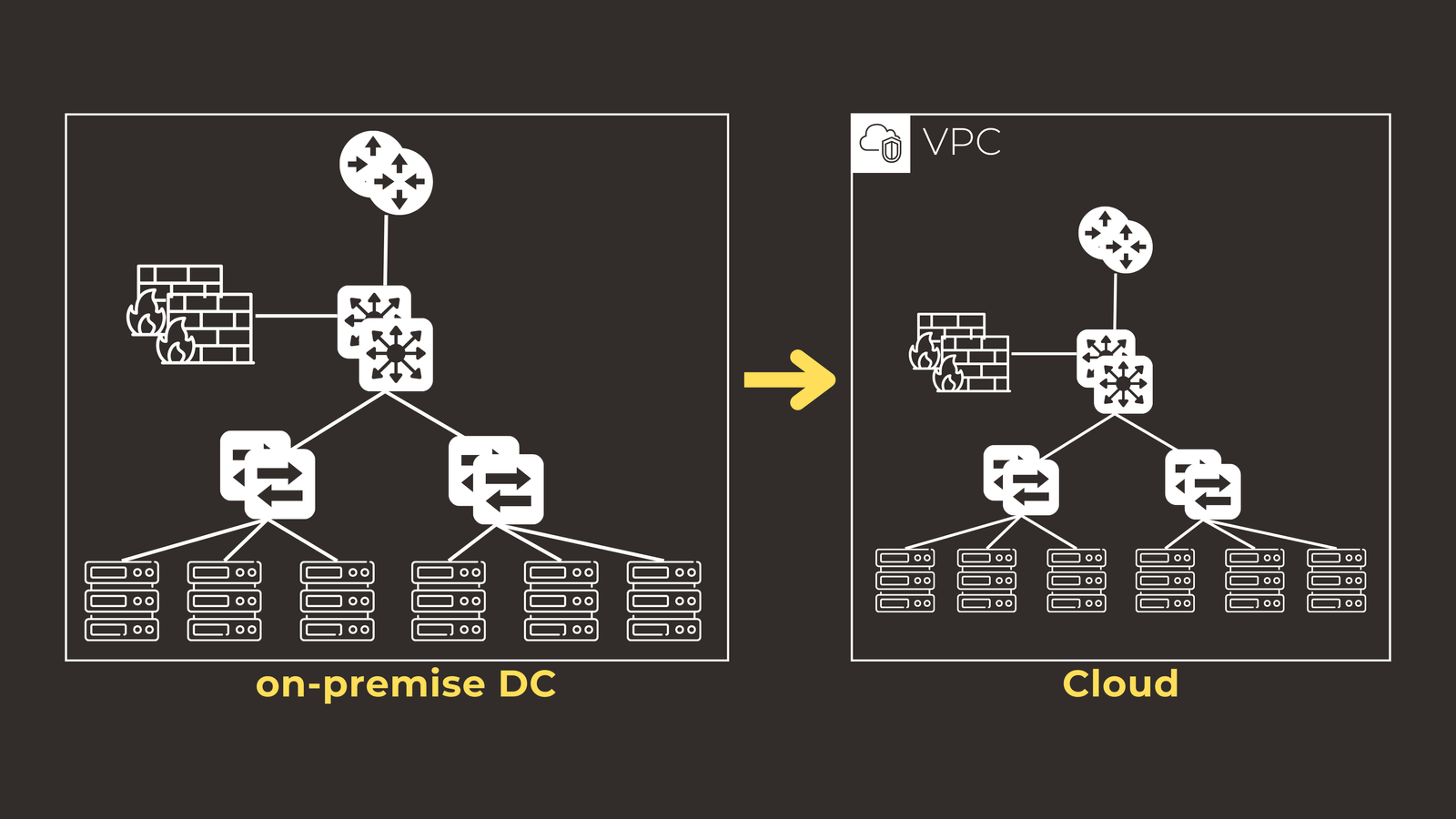
Here are the key points about VPCs:
- You have complete control over the IP address range. For example, you might use 10.1.0.0/16 for your VPC.
- You can create multiple VPCs that remain completely isolated from each other.
- Each AWS region supports multiple VPCs, giving you flexibility in how you organize your infrastructure.
Subnets: Dividing Your Network
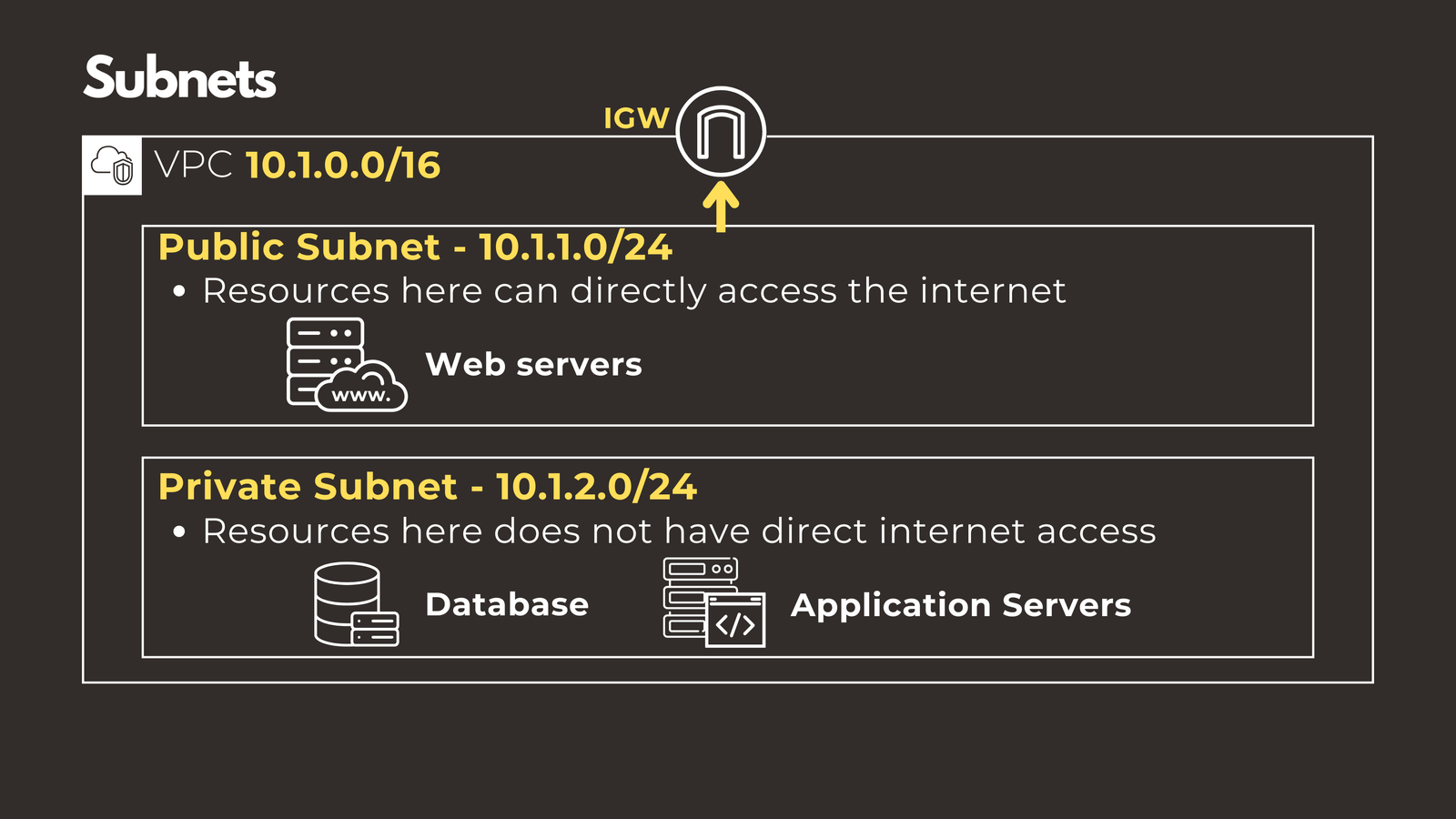
While your VPC has a large supernet, you’ll want to divide it into smaller, more manageable subnets. AWS offers two types of subnets, each serving different purposes.
Public Subnets are designed for resources that need direct internet access, such as web servers. It’s important to note that resources in public subnets still use private IP addresses internally, which AWS translates to public IPs for internet communication. This is similar to the DMZ concept in traditional on-premise data centers.
Private Subnets house resources that don’t require direct internet access, like databases and internal applications. This provides an extra layer of security for sensitive components.
The main difference between these subnet types is that public subnets have a route to an Internet Gateway, which we’ll discuss shortly.
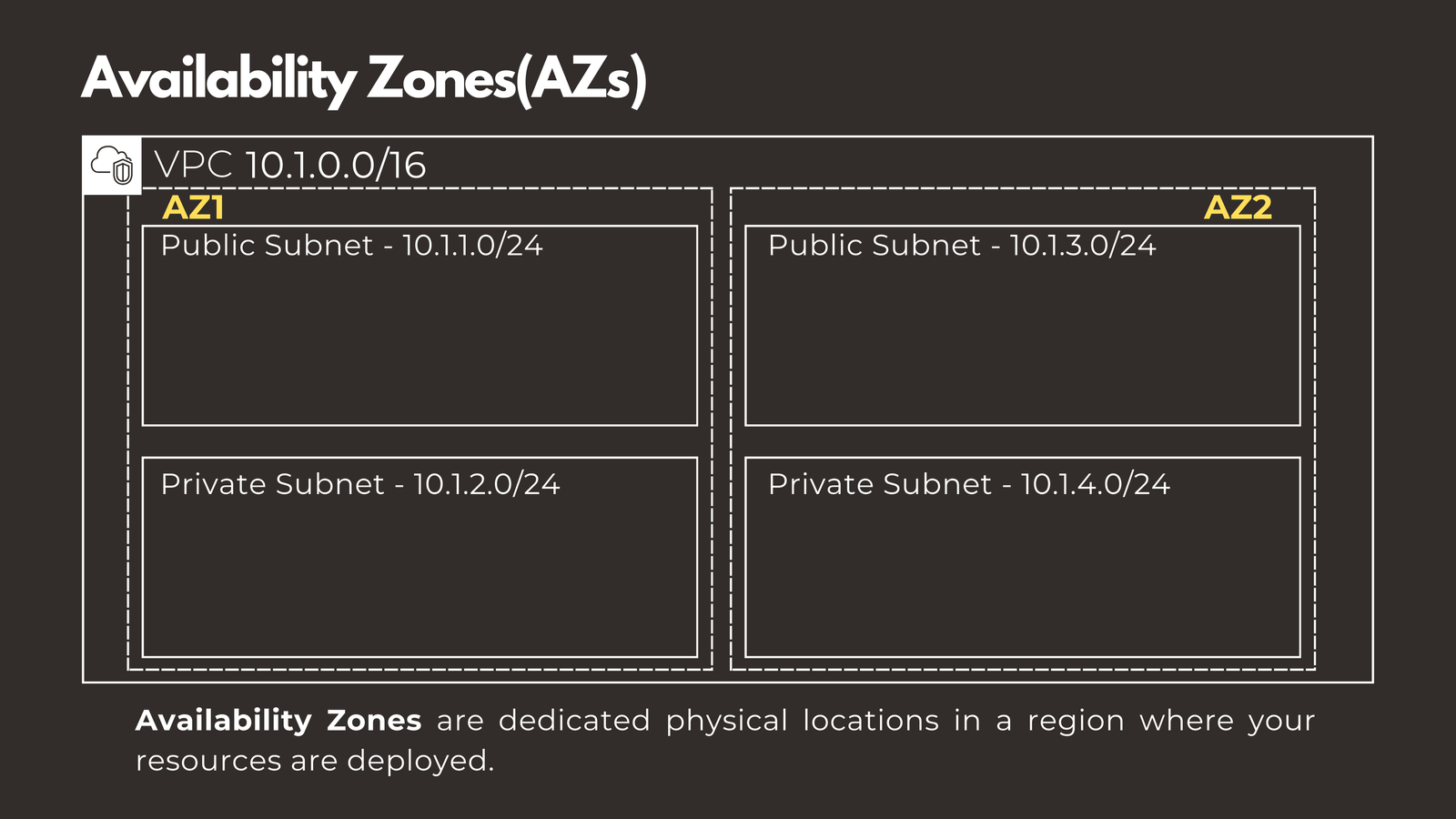
An important architectural consideration is that subnets can only exist in one Availability Zone. These zones are dedicated physical locations within a region where your resources are deployed, helping you build fault-tolerant systems.
Elastic Network Interfaces (ENIs)
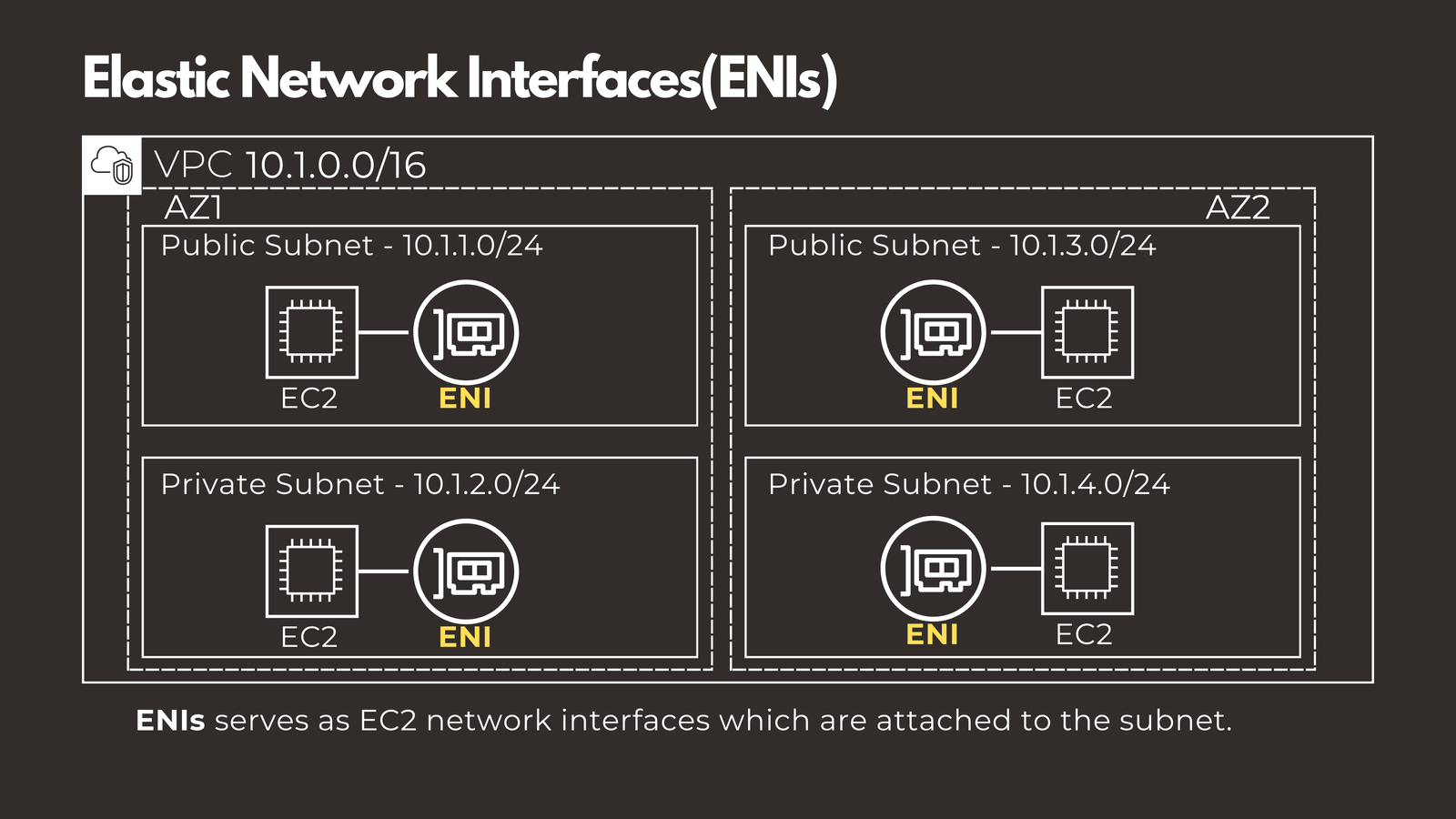
Subnets represent the IP blocks where your servers connect. When you launch an EC2 instance (AWS’s virtual server), it uses Elastic Network Interfaces as its connection point to the subnet, similar to how a physical server has network interface cards.
Connecting to the Internet
Once you have your foundation in place, you’ll need to establish internet connectivity. AWS provides different mechanisms depending on whether your resources are in public or private subnets.
Internet Gateway (IGW)
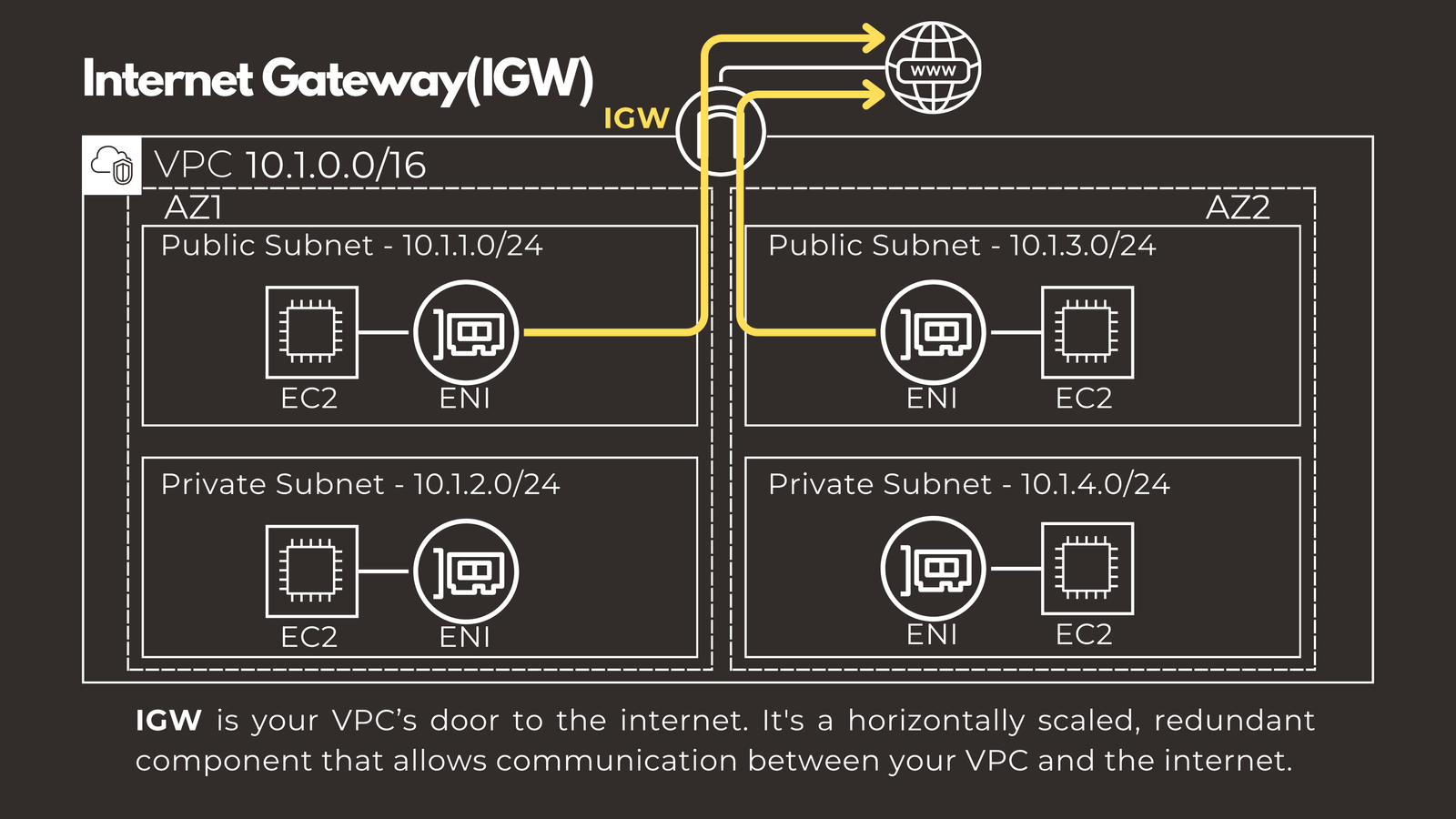
The Internet Gateway is your VPC’s door to the internet. It’s a horizontally scaled, redundant component that enables communication between your VPC and the outside world. Simply attach one to your VPC, and resources in public subnets can reach the internet.
NAT Gateway and NAT Instance
But what about resources in private subnets that need to download updates or access external APIs? This is where Network Address Translation comes in. AWS offers two options for NAT functionality.
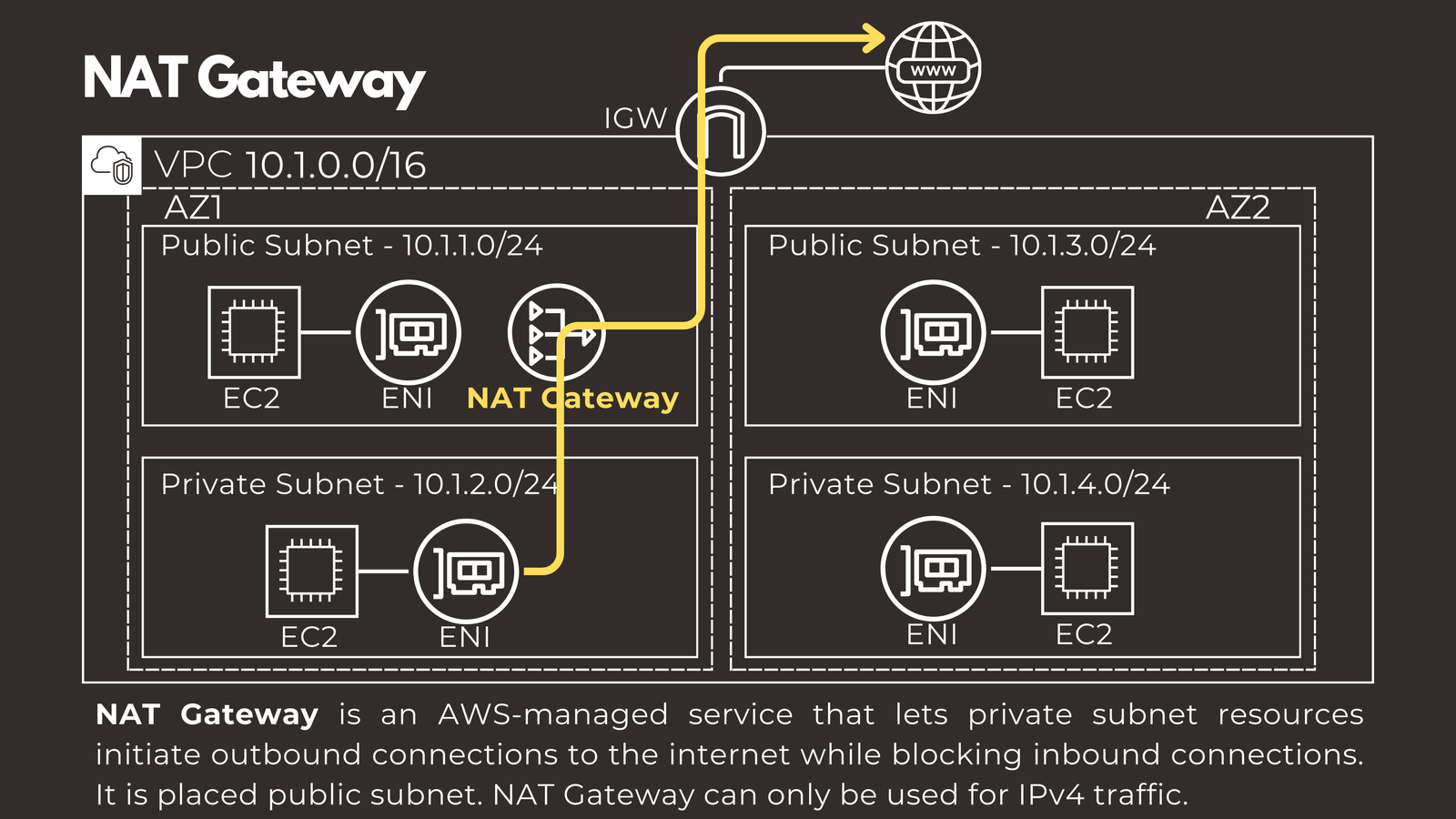
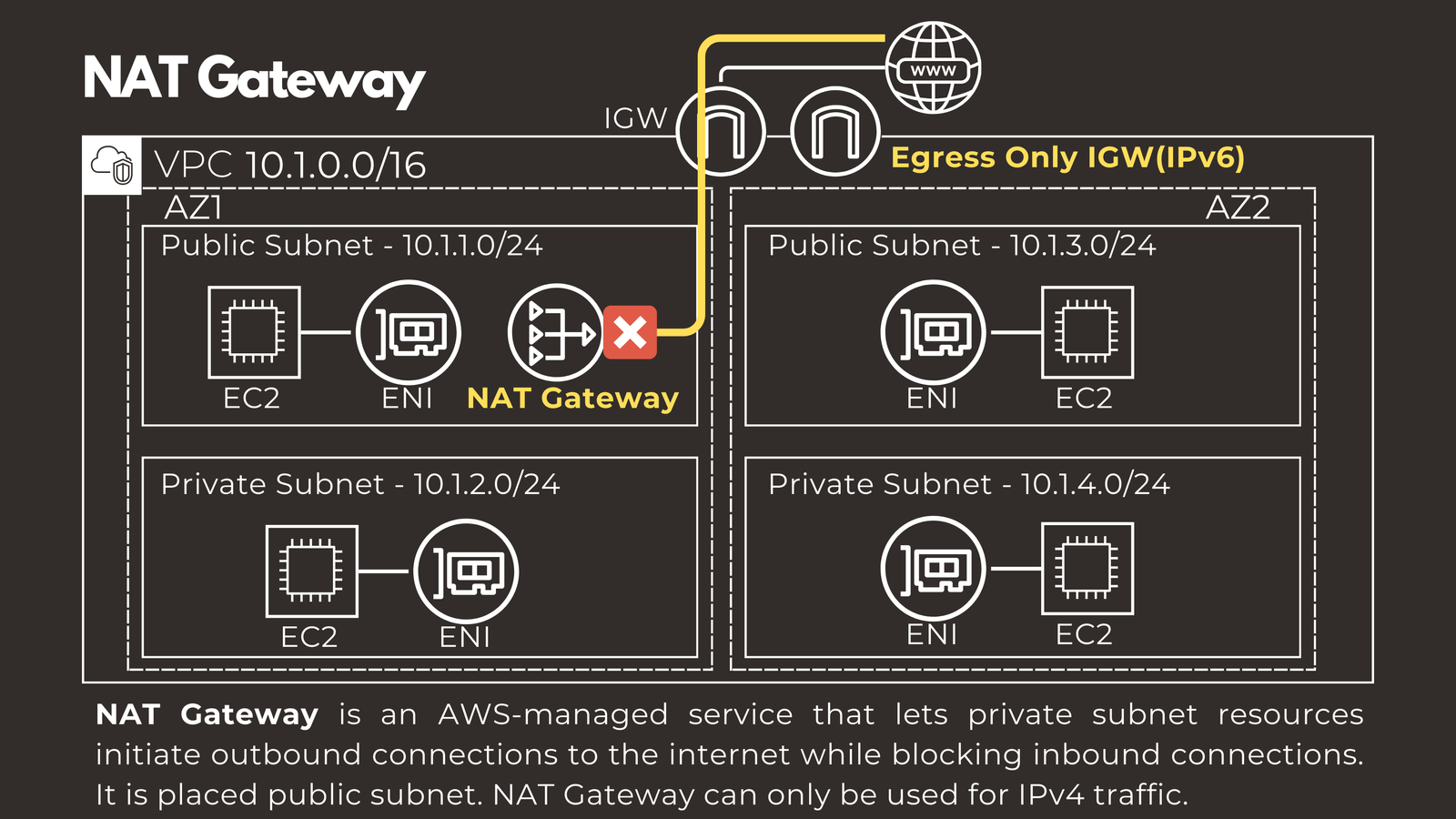
NAT Gateway is an AWS-managed service that allows private subnet resources to initiate outbound connections to the internet while blocking inbound connections. It’s placed in a public subnet and handles IPv4 traffic. For IPv6, you’ll need to use an Egress-only Internet Gateway instead.
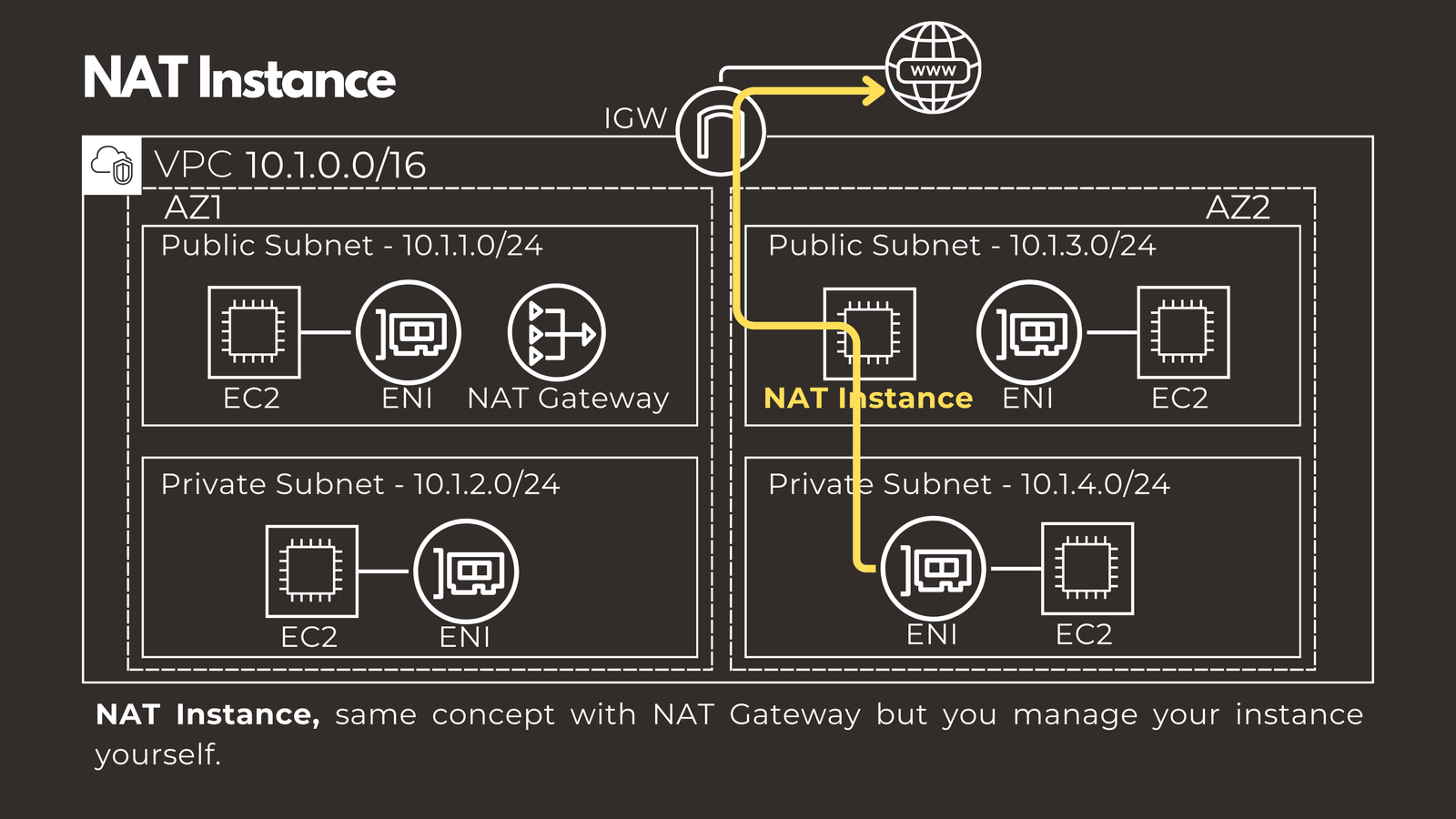
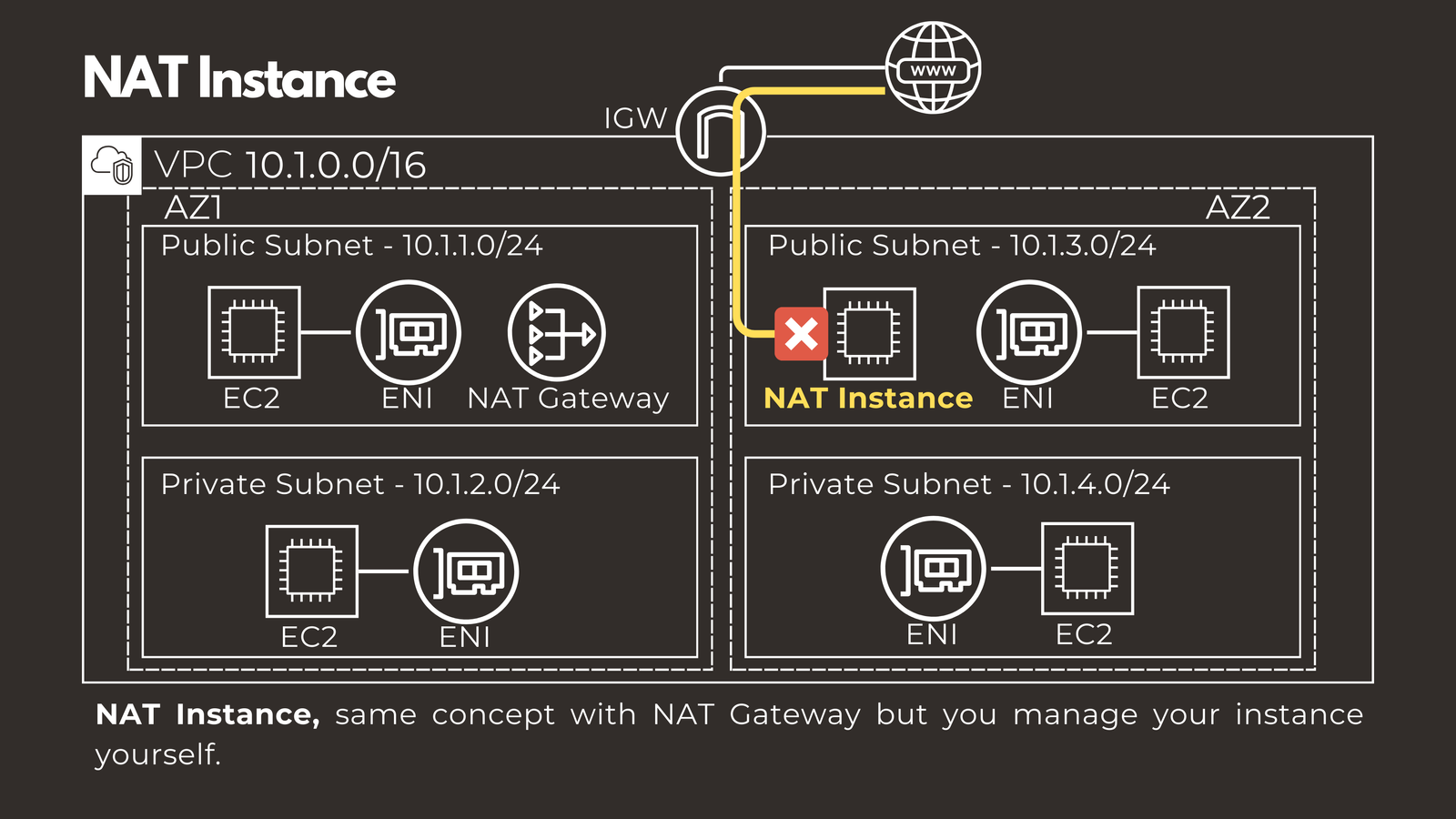
NAT Instance provides the same functionality as NAT Gateway, but you manage the EC2 instance yourself. This option is less common nowadays, as most organizations prefer the managed service approach.
Elastic IP Addresses
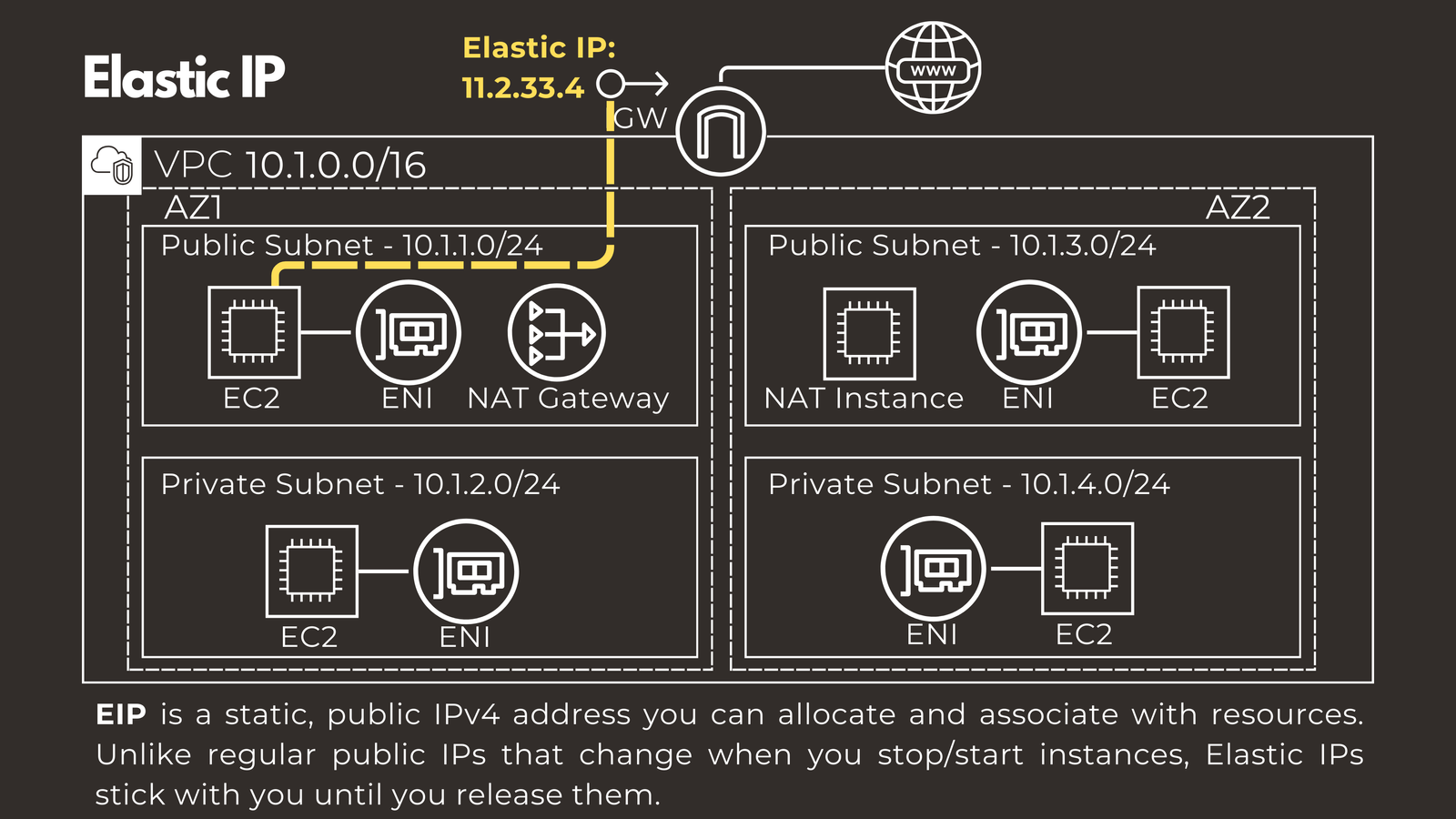
Internet connectivity requires public IP addresses, which by default are dynamic and change when you stop or start instances. If you need a static public IPv4 address, you can assign an Elastic IP. Unlike regular public IPs, Elastic IPs remain associated with your account until you explicitly release them. You can assign these to various resources, including EC2 instances, NAT Gateways, and NAT Instances.
Routing Traffic in Your VPC
Having the components for internet connectivity is only half the battle. You also need to configure routing to direct traffic appropriately. Every VPC includes a router with a main route table by default, and you can create custom route tables for more granular control.
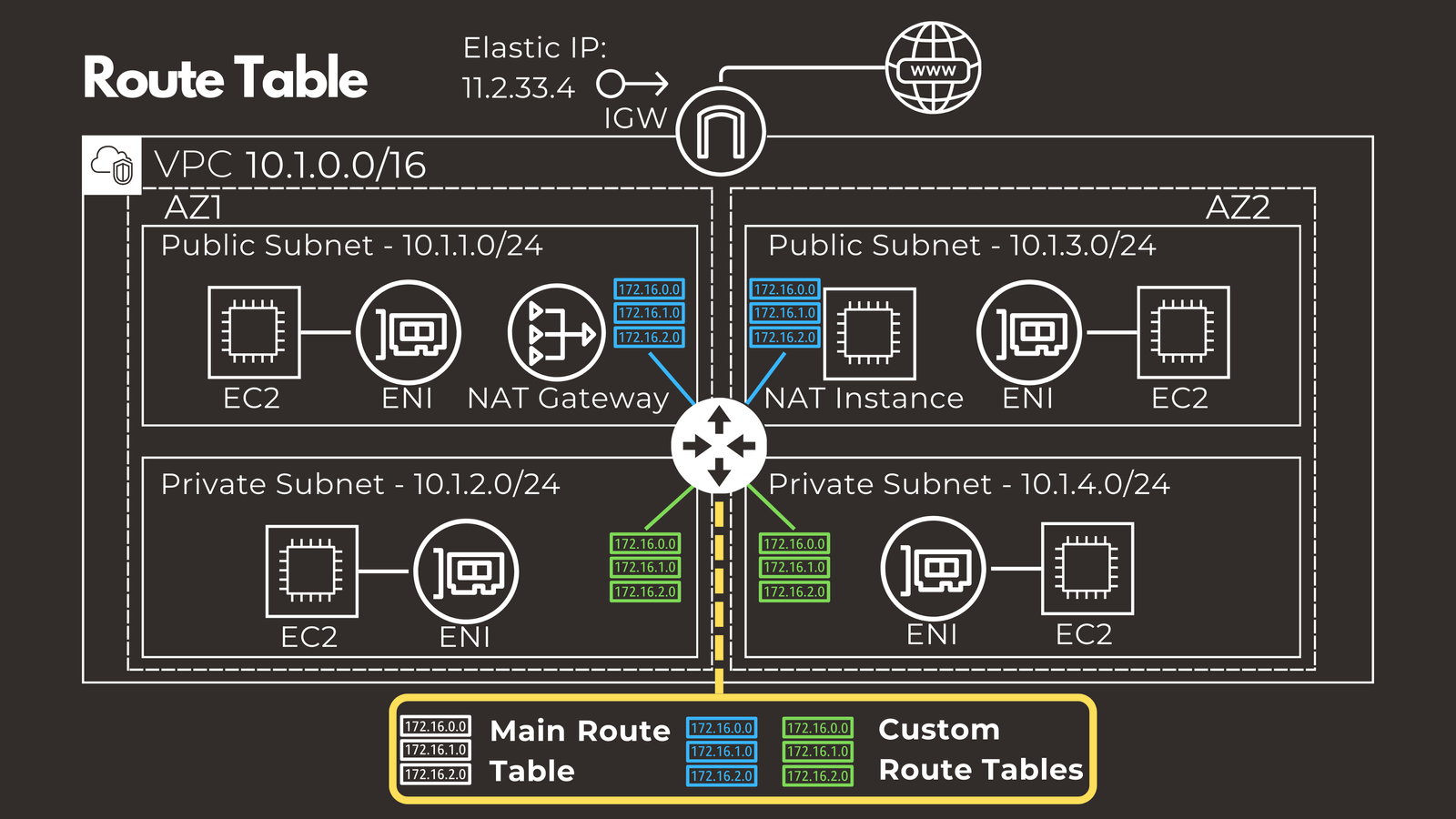
Route tables act as your network’s GPS, telling traffic from each subnet where to go. Every subnet must be associated with a route table.
Here’s what typical route entries might look like:
- 10.1.0.0/16 points to local, handling traffic within the VPC
- 0.0.0.0/0 points to the Internet Gateway, providing the default route to the internet
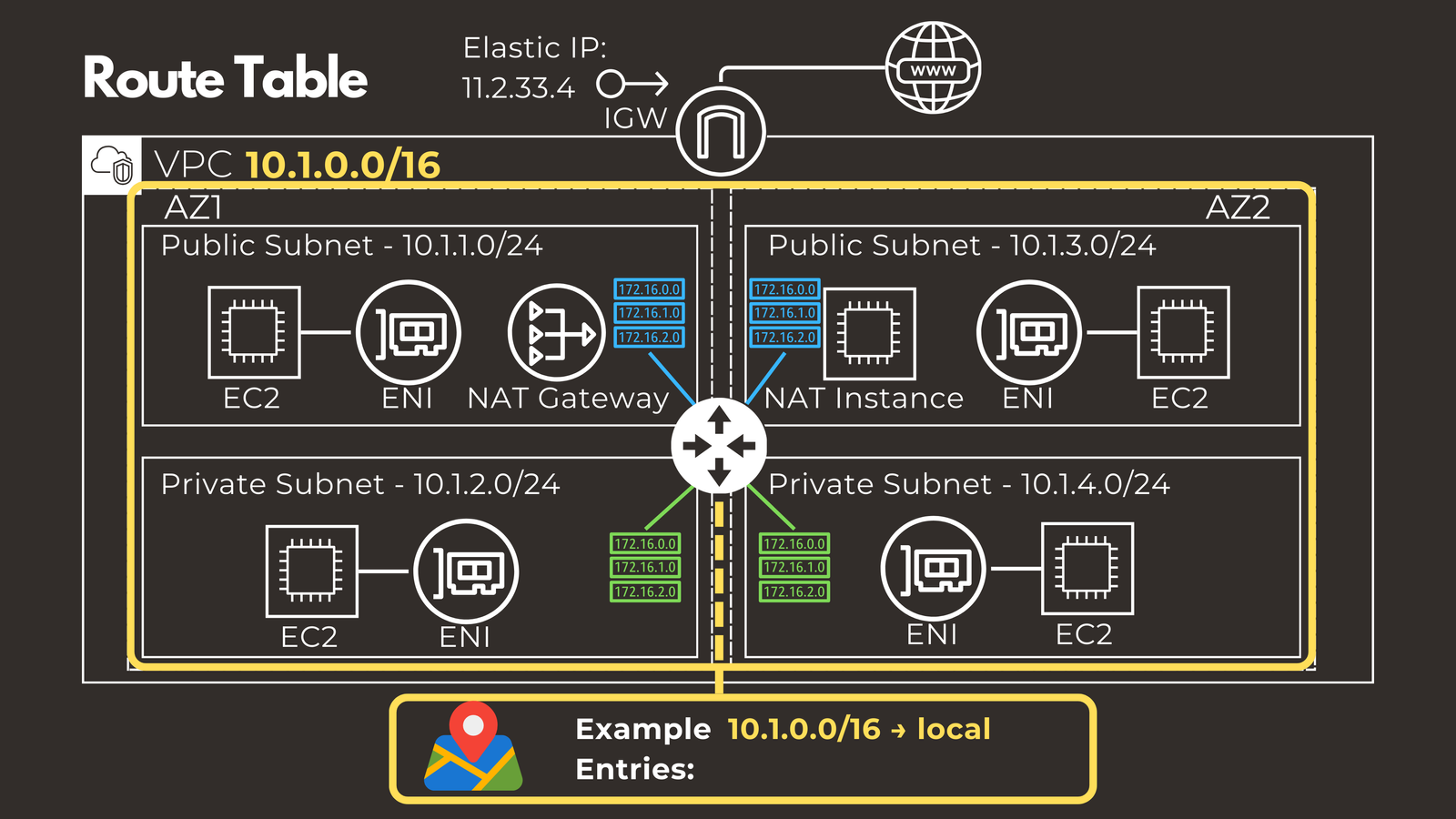
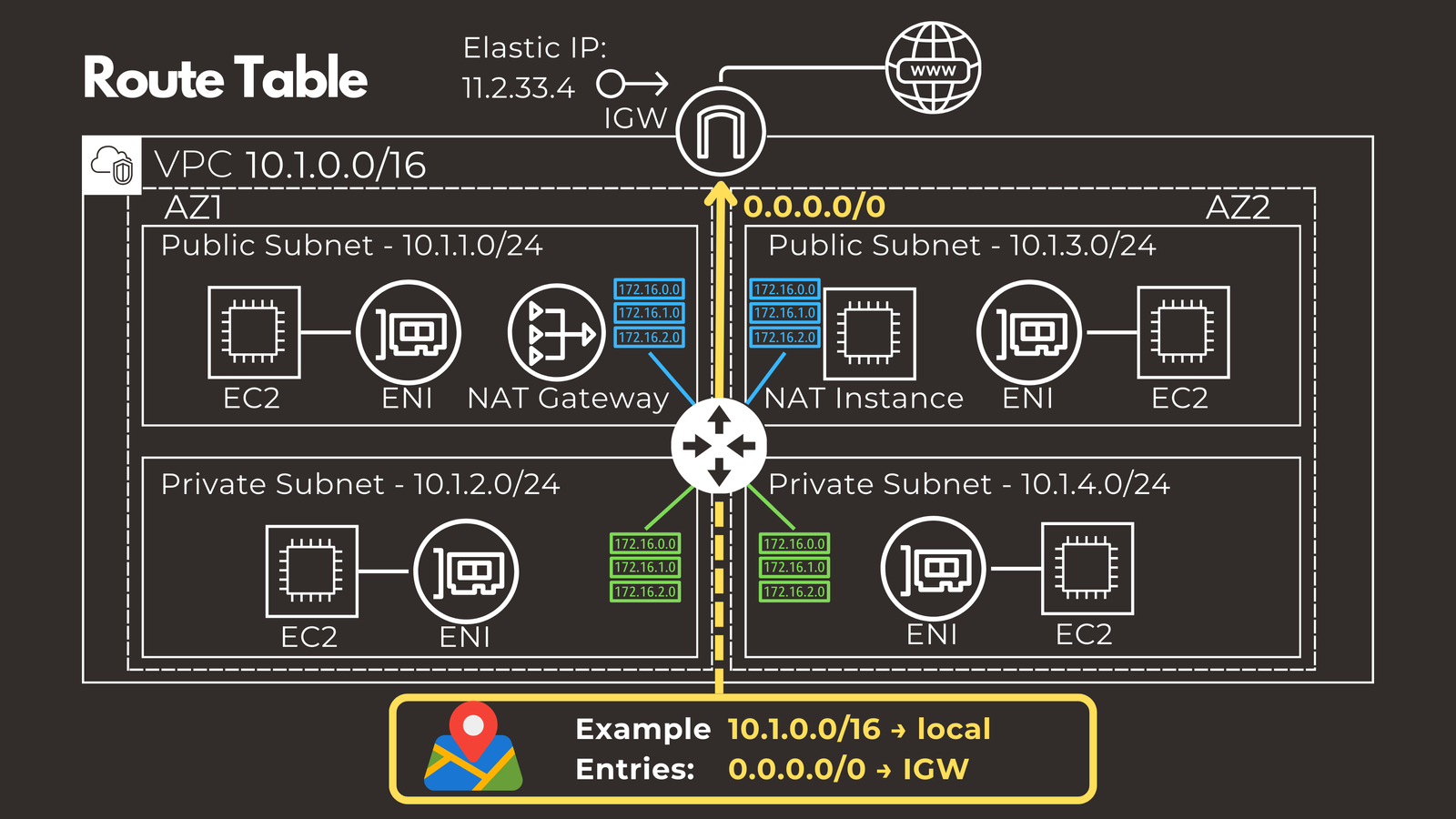 While route entries are typically static routes, advanced use cases can involve dynamic route propagation into routing tables.
Securing Your Cloud Resources
After establishing connectivity, security becomes paramount. AWS provides multiple layers of security controls to protect your resources.
Security Groups
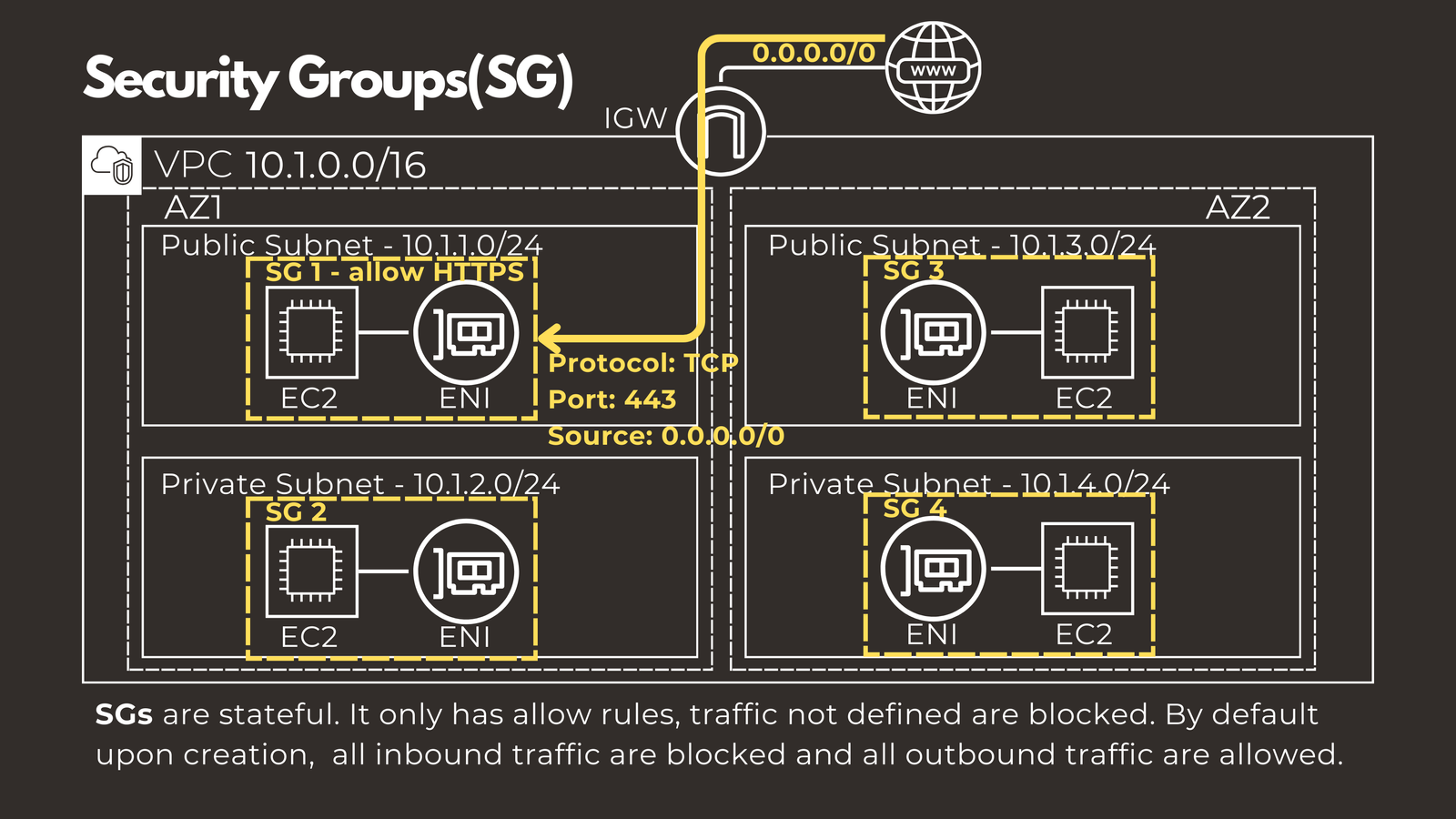
Security Groups function as virtual firewalls for your EC2 instances, controlling inbound and outbound traffic at the instance level. They have several important characteristics worth understanding.
Security Groups are stateful, meaning if you allow outbound traffic, the corresponding response traffic is automatically allowed back in. They only support allow rules, so you can only specify what traffic to permit. Anything not explicitly allowed is blocked by default. When you first create a Security Group, all inbound traffic is blocked while all outbound traffic is allowed.
Security Groups are applied directly to the Elastic Network Interfaces of EC2 instances. For example, to allow HTTPS traffic from anywhere, you would configure:
- Protocol: TCP
- Port: 443
- Source: 0.0.0.0/0
Network Access Control Lists (NACLs)
Network ACLs provide an additional security layer that operates at the subnet level, similar to access control lists on traditional routers.
Unlike Security Groups, Network ACLs are stateless, meaning return traffic must be explicitly allowed. They support both allow and deny rules, which is useful for blocking specific IP addresses. Rules are processed in numerical order, with the lowest number taking priority.
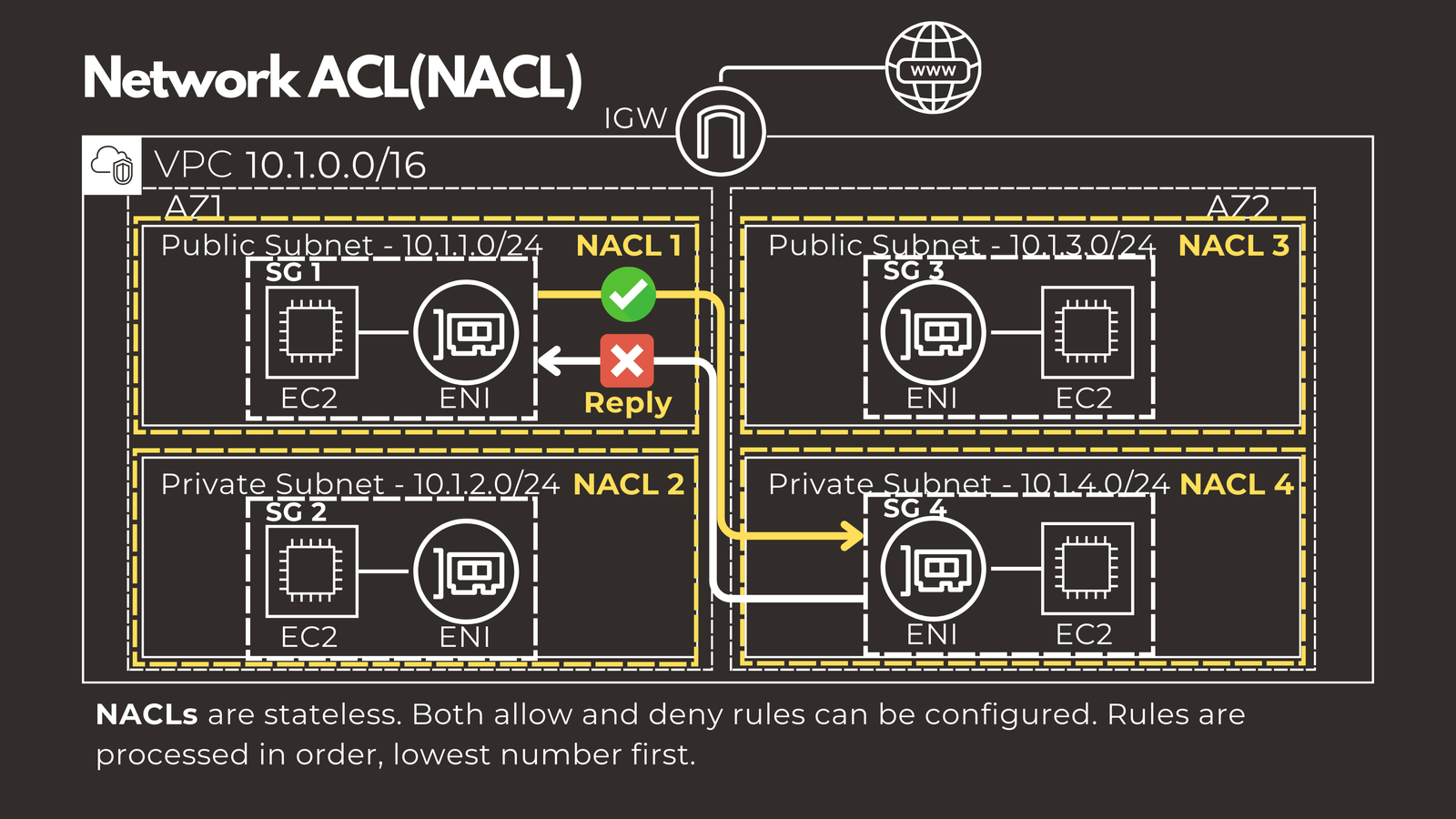 A helpful analogy is to think of Security Groups as the lock on your apartment door, while Network ACLs serve as the main entrance security for the entire building.
Your Cloud Networking Journey Begins Here
These fundamental AWS networking concepts provide the foundation you need to start building cloud infrastructure. Understanding VPCs, subnets, internet connectivity, routing, and security will enable you to design and deploy robust cloud architectures.
As you grow more comfortable with these basics, you can explore more advanced topics like VPC peering, VPN connections, and hybrid cloud architectures that connect your AWS VPCs with on-premise data centers.
The cloud may seem daunting at first, but with these building blocks in place, you’re well-equipped to begin your journey into AWS networking. Start experimenting, build test environments, and gradually expand your knowledge as you gain hands-on experience with these essential components.
Have questions about AWS Networking Basics? Check out the video on this link https://youtu.be/Yosi-6Rl_eE, drop a comment and let’s discuss!